There are many ways to call slider-like elements. You’ve probably heard the most common names by now: slider, carousel, slideshow, and showcase. Many people simply call everything “slider” that looks like a slider. Some distinguish sliders based on how they look. For instance, they call the element that displays one slide, one image at a time, a slider. They call those sliders that display more slides next to each other a carousel or a showcase. In this article, we’re focusing on the carousel, which displays more slides at once. I’ve also collected some beautiful WordPress carousel examples for you to check out.
What is a WordPress Carousel?
A WordPress carousel refers to the carousels that are created in WordPress. Generally, people use a plugin to create them. In fact, there are many plugins you can use to create a slider or carousel. More importantly, there are many free options you can choose.
Choosing a free slider plugin for your site is not easy. Make sure you pick the one that has: many active installs, a good rating, and good support. The Free version of Smart Slider has more than 800.000 active installations and a 4.9 out of 5 rating on WordPress.org. Additionally, even the free version is well supported. Although it’s worth noting that to create the WordPress carousel examples you’ll see below, you need Smart Slider Pro.
The new way to build a Slider
Next generation visual editor, customizable animations & effects, and access to hundreads of premade templates.
Carousels, regardless of what they’re called, save space. They also help make the visitors’ lives easier. For example, by saving them the effort and time they’d have to spend scrolling. Additionally, carousels make it easy to compare similar elements, such as two products.
What’s more, carousels let you be creative. They help you create visually stunning designs to amaze your visitors. So, web developers, designers, and clients like them. However, just like any element, carousels should be used with a purpose. There are many purposes for people to create carousels to display various kinds of content. Some of the most common types are:
Image Carousel. Displays images with or without a caption.
Post Carousel. Displays the latest, most popular, or selected list of articles.
Product Carousel. Displays products, typically from WooCommerce, to showcase them and to increase sales.
Logo Carousel. Displays the logo of sponsors or companies the author has worked with.
8 Inspiring WordPress Carousel Examples
Do you want to create a cool WordPress Carousel to enrich your site, but don’t know where to start? I’ve got great news for you. I’ve collected 8 beautiful WordPress carousel examples you can create for your website. Let’s check them out!
Get on board! Join our 142,416 subscribers!
Get our latest news, tutorials, guides, tips & deals delivered to your inbox.
Generally, every slide in a product slider looks the same, only their content differs. In other words, they have the same colors, and their content is in the same order. If you want to stand out from the crowd, you can mix different-looking slides into your slider. For example, if you have more product categories, you can create a slider that shows the items from each. Then, between them, you can add a slide that’s not about the product. For example, it can be a slide that prompts the visitor to check out the other products in the category. Or, use it to advertise a current or upcoming discount.
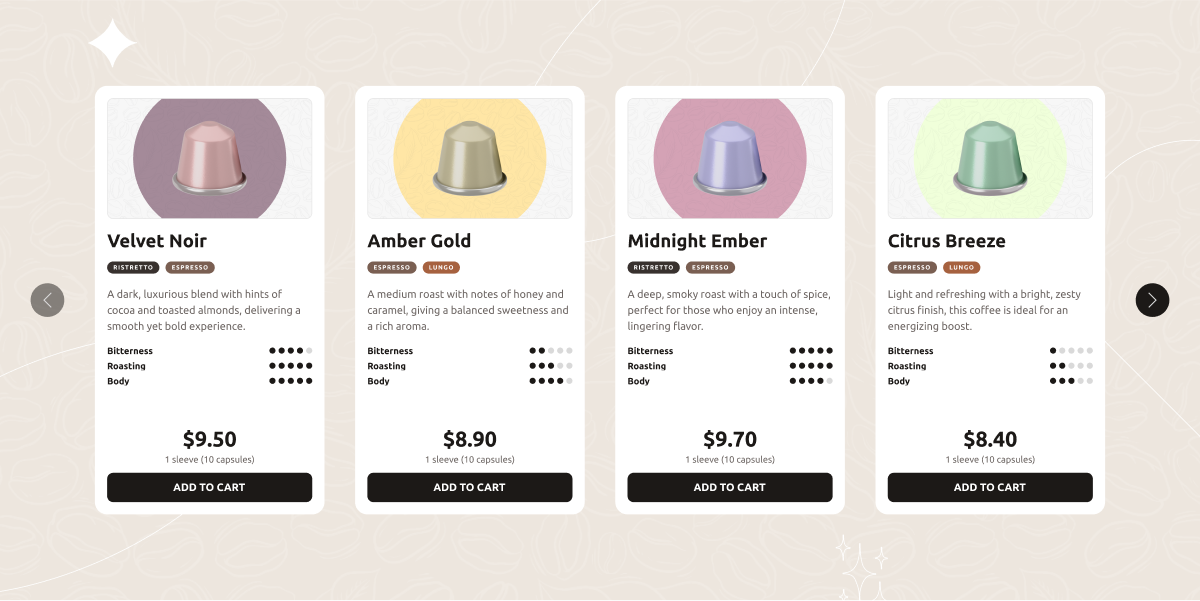
The Product Carousel template looks modern as it uses pastel colors. It features a product image, and another one on mouse enter. Below the product image, visitors can see the name, category, and price of the product. As it’s a full-width slider, it’s perfect for using it as your shop’s hero.
Displaying customer testimonials is important for any business. Customers want to make sure they choose the best product, service, and company to work with. So, they like to know how satisfied others are with your product or services. A carousel is a great way to display the testimonials, as it allows organizing them.
This carousel offers you a cool way to showcase your latest posts. You can use it to display the featured image, title, publication date, author, and tags of your blog posts.
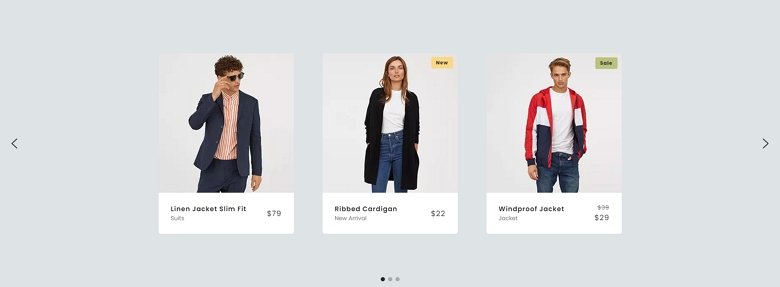
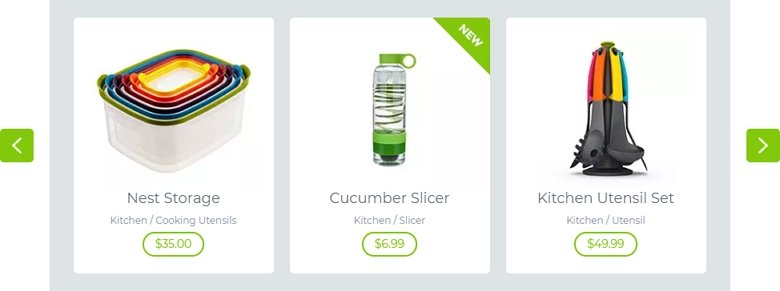
Another cool carousel to display your products in a modern way. Product sliders typically display a picture of the product. This not only gives a visual clue about the item, but also helps raise attention. When you create a product slider, make sure you also display the name, category, and price of the product.
Most visitors can recognize the logos of large companies. This makes it easy for them to see the big-name clients your company has worked with. Seeing these logos gives reassurance: if a well-known brand works with you, you’re doing a good job. So, they’ll want to do business with you, too. So logo sliders and testimonials can be used for similar purposes.
There are many ways to create a post carousel. You can use its featured image as a background and place its details on top. But you can also put the image above, below, or next to the textual content. As a result, the visitors can view the images uninterruptedly. For example, on this carousel, the category, title, excerpt, and read more button are on the left. The image itself is on the right side.
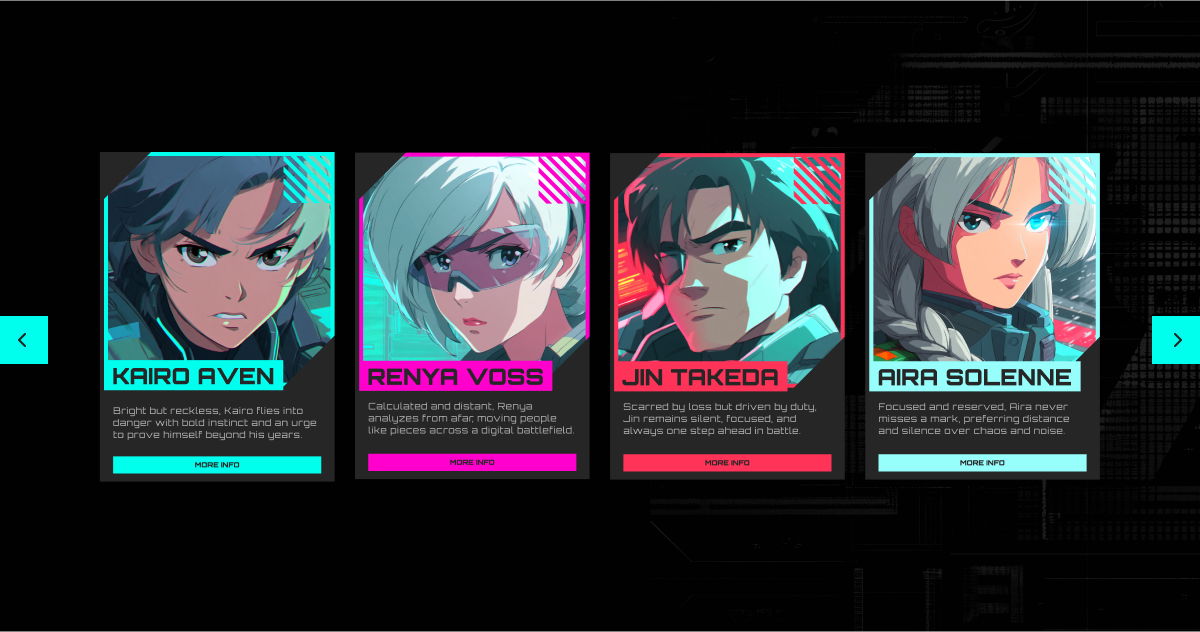
It uses a full-width carousel to show multiple character cards side by side, so visitors can quickly browse the lineup without losing the vibe of the design. Each slide is built like a mini profile: a bold character portrait, name, short description, and a clear button that can take people to the suit or character details. It feels fast to scan, looks great on large screens, and still stays smooth and usable on smaller devices thanks to the carousel behavior.
Conclusion
Don’t be afraid to use a carousel on your site! Carousels and any other type of sliders are great design elements and will enrich your site. Additionally, they save space, look great, and make your site more interesting to your visitors. Let these cool WordPress Carousel examples inspire you to create something awesome!
Hi, I’m Ramona and I’m a member of Nextend‘s awesome support team. You’ve probably chat with me if you’ve submit a support ticket. When I’m not answering support emails I read a book or go cycling. I enjoy writing as well, both for our blog and for my private projects.